Flipkart label not printing — causes and fixes
“Flipkart shipping label print nahi ho raha” is one of the most common seller searches. Most cases trace back to one of the five causes below.
Updated 22 August 2026
1. Nothing prints at all
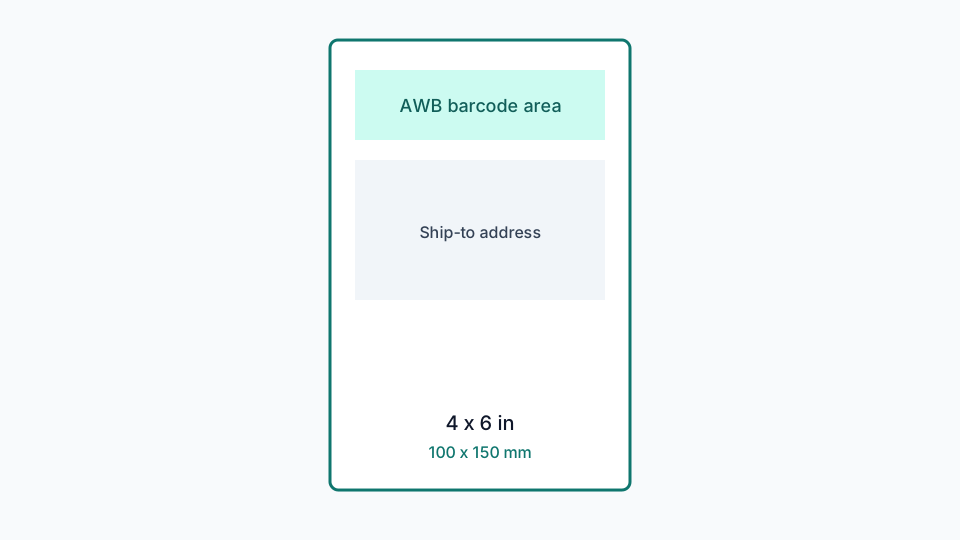
Check the USB or network connection first, then confirm 4×6 / 100×150 mm paper is selected in the driver — not A4 or Letter. Also confirm the roll is loaded thermal-coated-side facing the print head, and that the printer is not paused or set offline in your OS print queue.
2. Label prints but blank or faded
Increase darkness one notch in the driver. A very common new-printer mistake is loading the roll backwards — thermal paper only darkens on the coated side, so a reversed roll prints nothing however high the darkness is set. Avoid jumping straight to maximum heat on thin stock; it can smear rather than darken.
3. Barcode does not scan at the hub
Usually the full A4 packing PDF was sent to a 4×6 printer with Fit to page, shrinking the barcode below scannable resolution — or a manual crop was too tight against the bars. Fix: crop with the Flipkart shipping label cropper first, which keeps a safety margin around the barcode automatically, then print at 100% / Actual Size and never Fit to page.
4. Half the sticker is invoice text
The original PDF mixed the shipping label with invoice content on one A4 page. See Flipkart A4 to thermal label — cropping removes the invoice block and prints only the label region.
5. Label prints the wrong size or stretched
The driver’s paper size does not match the PDF’s actual page size. A cropped label from this tool is a genuine 100 × 150 mm page, but if the driver is set to “Auto” or a different size, the printer scales it anyway — sometimes unevenly in each direction, which is what stretching looks like. Set the driver paper size to match exactly; see thermal printer settings.
Benefits
- No login for the basic crop workflow.
- The PDF stays in the browser for core processing.
- Multi-page Seller Hub files are processed page by page.
- Failed pages can be reviewed instead of silently printing a wrong crop.
Related guides
Flipkart shipping label size
4×6 inch vs 100×150 mm, A4 packing slips, and why the page size in the PDF matters for thermal printers.
Flipkart thermal printer settings
Actual size, paper size, darkness and common driver mistakes when printing Flipkart labels in India.
How to print a Flipkart label
A practical walkthrough from Seller Hub download to a scannable thermal label.
Flipkart A4 PDF to thermal label
Why Seller Hub PDFs often include invoice space, and how cropping to 4×6 fixes print waste.
Ready to crop labels?
Upload a Flipkart PDF and download 4×6 thermal pages without sending the file to a server.
Open Flipkart shipping label cropper